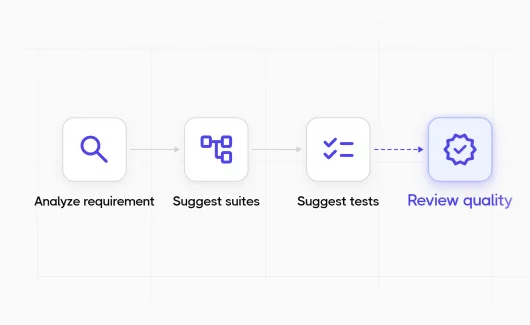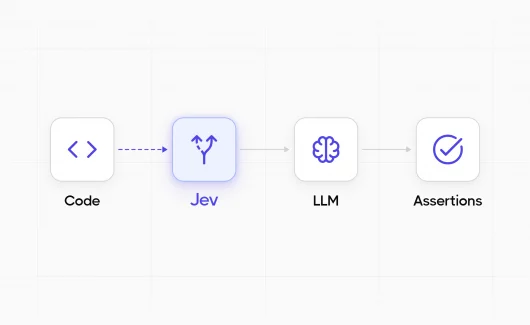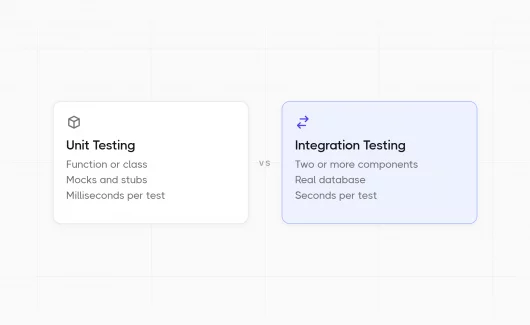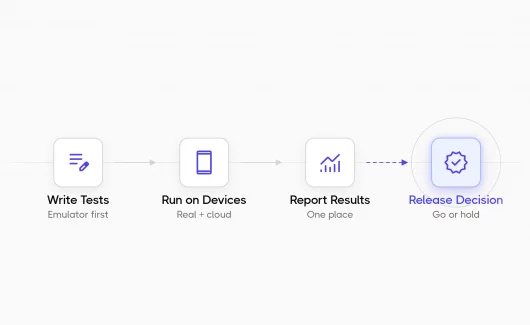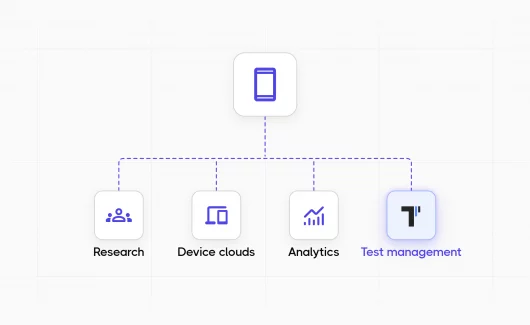
Explorbot is an open-source QA agent for autonomous testing of web applications. You point it at a URL. It reads the page, works out what the application does, proposes test scenarios, and runs them in a real browser. When something breaks, it reports the problem with steps to reproduce, and every verified scenario can become a Playwright or CodeceptJS test you can commit. Explorbot comes from the team behind Testomat.io, a test management system where you can manage these generated tests together with your manual test cases.
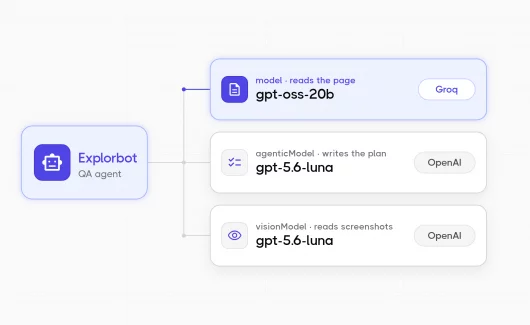
Explorbot uses three models because each one does different work.
- The
modelreads pages and drives the browser. Every step sends it cleaned HTML and an ARIA tree. It handles about 85% of the input tokens in a session. - The
agenticModelcreates the test plan and decides whether each scenario passed. It sees a short summary and the latest actions, not the raw HTML. It makes a few dozen calls per session. - The
visionModelreads screenshots. Its request volume is low.
Our default configuration is:
ai: {
  model: openrouter('openai/gpt-oss-20b:nitro'),
  agenticModel: openrouter('openai/gpt-5.6-luna'),
  visionModel: openrouter('openai/gpt-5.6-luna'),
}
We are happy with this setup. A session finishes in about four minutes and costs a few cents.
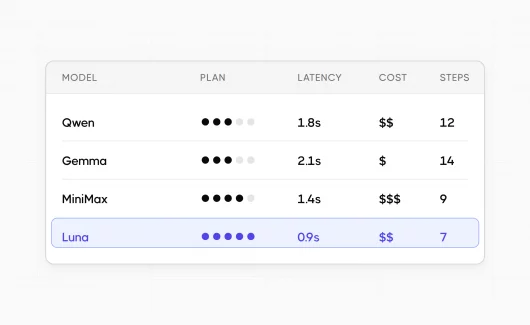
In our previous comparison, we tested four planning models and kept GPT-5.6 Luna. Then Mercury 2.5, a diffusion LLM from Inception Labs, arrived with a different architecture and an unusual speed claim: 1,107 tokens per second on widely available NVIDIA GPUs.
Speed is important for Explorbot because each model call pauses the browser. Faster responses could let it complete more actions and test more scenarios during a quick check. Our Mercury testing checked whether the generation speed produced that result.
What Makes the Mercury Diffusion Model Different

The models in our previous comparison were autoregressive: they generate output from left to right, one token at a time. Each new token depends on the sequence generated before it, which places a sequential floor under generation latency.
A diffusion language model instead begins with a noisy or masked sequence and refines many token positions over a series of denoising passes. The process is still iterative, but it is not restricted to appending one token at a time. That parallelism lets throughput scale differently from conventional token-by-token decoding.
Inception Labs released Mercury 2.5 on 8 September 2026 and describes it as the largest diffusion language model trained to date. The company reports:
- Generation at 1,107 tokens per second on widely available NVIDIA GPUs.
- 260,000-token context window.
- 40% capability improvement over Mercury 2.
- Quality comparable to GPT-5.6 Luna (Low), Gemini 3.5 Flash-Lite, and Claude Haiku 4.5.
Speed is useful only if a model can complete the task. Mercury supports tunable reasoning, parallel tool calls, and schema-aligned JSON. Before the benchmark, we sent one request with a tools array. We sent another with a strict json_schema. Both returned valid responses and included the usage.cost data used below.
Across the two experiments in this article, Mercury made 170 calls in four Mercury sessions. None were refused and none returned schema-invalid JSON.
Mercury was less reliable when writing browser locators, although other models had the same problem. Explorbot validates generated CSS and XPath selectors. It requests a repair when a selector is malformed. In the reader experiment, Mercury needed fewer repairs than our current model.
What We Ran
For Mercury testing, we used our regression fixture: a small issue tracker with authentication, filters, labels, and a REST API. The fixture is deterministic, which makes the selected model the largest variable between runs.
bunosh bench:model inception/mercury-2.5 --slot=agentic --runs=2
bunosh bench:model openai/gpt-5.6-luna --slot=agentic --runs=2
Each benchmark run executed explorbot explore /issues --max-tests 5 with retries disabled. We counted every run rather than selecting the best result. GPT-OSS 20b continued reading pages, and Luna continued reading screenshots.
Mercury proposed this test plan after researching the page:
- Create a new issue via the toolbar
- Filter issues by status
- Search issues by text
- Filter issues by label
- View issue detail from list
Mercury as the Planner
| Mercury 2.5 | GPT-5.6 Luna | |
|---|---|---|
| Scenarios proposed, per run | 5, 7 | 4, 5 |
| Tests executed and passed | 10 of 10 | 9 of 9 |
| Calls per run | 20.5 | 21.0 |
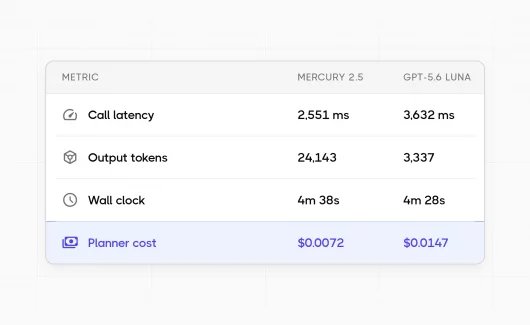
| Mean call latency | 2,551 ms | 3,632 ms |
| Input tokens per run | 103,138 | 89,514 |
| Cache hit | 13.5% | 44.9% |
| Output tokens per run | 24,143 | 3,337 |
| Reasoning share of output | 90% | 29% |
| Wall clock per run | 4m 38s | 4m 28s |
| Planner cost per run | $0.0072 | $0.0147 |
The cost figures use the rates in the pricing section. Luna also handled screenshots, so those calls appeared under the same model name. We measured that traffic separately in the Mercury runs and removed it from Luna’s planner cost.
Every executed test passed in both groups. This does not show that one model is more accurate. Each model proposed the scenarios it later judged, and two runs cannot establish a pass rate. The result is directional: Mercury proposed more scenarios and met the same structured-output requirements.
Mercury generated 7.2 times more tokens than Luna for the same work. After excluding reasoning tokens, both models produced about 2,400 tokens of planning output per run. Mercury generated about nine reasoning tokens for every token it kept in the plan.
Caching favored Luna. It served 44.9% of its input from prompt cache, compared with 13.5% for Mercury. Longer sessions could warm Luna’s cache further and narrow Mercury’s cost and latency advantage.
Throughput, Latency, and Wall-Clock Time Tell Different Stories
Mercury reached a peak of 462 output tokens per second. Luna reached 49. This appears to be a ninefold speedup, but it is an incomplete measure for browser testing.
Reasoning tokens made up 90% of Mercury’s output. If we count only the tokens that survived into the plan, throughput was 45 tokens per second for Mercury and 31 for Luna. The apparent advantage shrinks from nine times to roughly one and a half.
Per-call latency is more useful. Mercury answered about 30% faster per planning decision, with almost the same call count. Our peak of 462 tokens per second was below Inception’s published 1,107. Our requests were short, sequential, and routed through OpenRouter. Network and queueing time can dominate such requests.
End-to-end run time changed little and moved in the opposite direction. Mercury took 4m 38s, while Luna took 4m 28s. The planner made about 21 of roughly 112 model calls per session. The page reader handled the rest and remained the bottleneck.
With only two runs per arm, we treat the ten-second wall-clock difference as noise rather than evidence that Mercury made the session slower. This result answers our main question. A faster model can increase coverage only when it is on the session’s critical path. Mercury executed one additional test because one Luna run proposed only four scenarios. The result does not show that faster planning increased execution capacity. Mercury reduced planning delays and cost, but not total run time.
Mercury as the Page Reader
We also used Mercury for high-volume page reading including heavy HTML markup. We compared it with GPT-OSS 20b, which is not so smart but cheap and reliable (with retries and various checks). This experiment used an earlier checkout. Its results are separate from the planner comparison.
| Mercury 2.5 | GPT-OSS 20b | |
|---|---|---|
| Tests executed and passed | 9 of 10 | 7 of 8 |
| Broken locators / elements mapped | 45 / 128 | 139 / 143 |
| Mean call latency | 2,206 ms | 1,818 ms |
| Input tokens per run | 831,927 | 715,463 |
| Cache hit | 29% | 15% |
| Wall clock per run | 4m 56s | 3m 57s |
Luna planned both arms, so only the reading model changed. Because the two readers produced different research summaries, Luna proposed plans of different lengths; that is why the arms executed different numbers of tests.
Locator validity was Mercury’s strongest result. GPT-OSS 20b generated almost one broken locator for every mapped element. Mercury’s ratio was about one in three, allowing Explorbot to build a working page map with fewer repair calls.
The better locators did not make the session faster. Mercury had higher mean call latency and added about a minute to each run. Page reading dominates total run time. Mercury traded fewer locator repairs for slower execution.
What It Costs Now and After the Launch Discount
Prices are per million tokens and were checked on 9 September 2026. Inception does not state when the launch discount will end. The economic comparison below is therefore a dated snapshot, not a durable price recommendation.
| Model | Input | Output | Cached input |
|---|---|---|---|
| Mercury 2.5, launch discount | $0.04 | $0.15 | $0.004 |
| Mercury 2.5, standard | $0.20 | $0.75 | Not published |
| GPT-5.6 Luna | $0.20 | $1.20 | $0.020 |
| GPT-OSS 20b | $0.03 | $0.13 | $0.030 |
Mercury’s $0.04 launch input rate is an 80% discount. At standard pricing, its input matches Luna’s and its output costs five-eighths as much. Mercury therefore looks cheaper on the rate card at either price. The measured token usage tells a different story.
| Planner, per run | Mercury at launch | Mercury at standard | Luna |
|---|---|---|---|
| Cost | $0.0072 | $0.0362 | $0.0147 |
Inception has not published a cached-input rate for its standard tier. The standard-price estimate assumes the same 10%-of-list cache ratio offered at launch. With no cache discount, the figure would be $0.0387. At launch pricing, Mercury completed the planning work for 49% of Luna’s cost. At the standard rate, the same work would cost about 2.5 times as much. The model did not change between these calculations.
The difference comes from its 7.2-times-larger output. Mercury needs an output-token rate about 7.2 times lower to match Luna’s output cost. Its launch rate of $0.15 per million is below the break-even point of about $0.17. Its standard rate of $0.75 is more than four times higher. This repeats the lesson from our previous comparison in a different form. Gemma looked cheapest on the rate card but produced the most expensive sessions because its plans triggered more page reading. Mercury costs less per token than Luna but, at standard pricing, more per run because it emits many more tokens. The rate card is not the bill.
Try Explorbot
npm i explorbot
npx explorbot init
import { createOpenRouter } from '@openrouter/ai-sdk-provider';

const openrouter = createOpenRouter({ apiKey: process.env.OPENROUTER_API_KEY });

ai: {
  model: openrouter('openai/gpt-oss-20b:nitro'),
  agenticModel: openrouter('inception/mercury-2.5'),
  visionModel: openrouter('openai/gpt-5.6-luna'),
}
Mercury is text-only, so Luna continues to handle screenshots. Change agenticModel back to openai/gpt-5.6-luna to restore the default. The eight comparison sessions cost $0.23 in total. Page-reading calls had no billed cost. The source is available here. If you run Mercury after the launch discount, we would be interested in the cost of your sessions.
Bottom Line
Mercury 2.5 is a capable, unusually fast diffusion model, but raw throughput does not translate directly into browser-testing throughput.
- It supports the required tools and output format. Across 170 calls in four Mercury sessions, we saw no tool refusals or invalid schema responses. This makes the Mercury LLM a viable planner for Explorbot.
- It is a faster planner, not a faster session. Planning calls were about 30% faster. Mercury also proposed broader plans in this small sample. Complete runs were not faster because page reading remained the bottleneck.
- It produced better locators but slower runs. Mercury generated about one-third as many broken locators as GPT-OSS 20b. It also added about a minute to each run. Two runs per model are not enough to change the default reader.
- Throughput needs context. Mercury reached 462 output tokens per second, compared with Luna’s 49. However, reasoning accounted for 90% of Mercury’s output. Content throughput, call latency, and total run time are more useful for this workload.
- The launch price changes the result. At the discounted rate, Mercury was faster and cheaper for planning. At standard pricing, the same work cost about 2.5 times more than Luna.
We are documenting Mercury 2.5 as an optional planner rather than making it the default. Changing one configuration line is enough to try it. The launch discount makes that test attractive while the discount remains available. Inception has not published an end date. Check the current price and use your own token counts before choosing a model.
You can try this setup on your own application today: install Explorbot, point it at a URL, and it proposes and runs test scenarios in a few minutes. And when you want those results in one place, create a free Testomat.io account to manage the generated tests together with your manual test cases. Then you can run the same comparison on your own numbers and decide if Mercury earns the planner slot in your setup.